Vibecoding a golf course builder on parental leave - lessons learned and an open beta
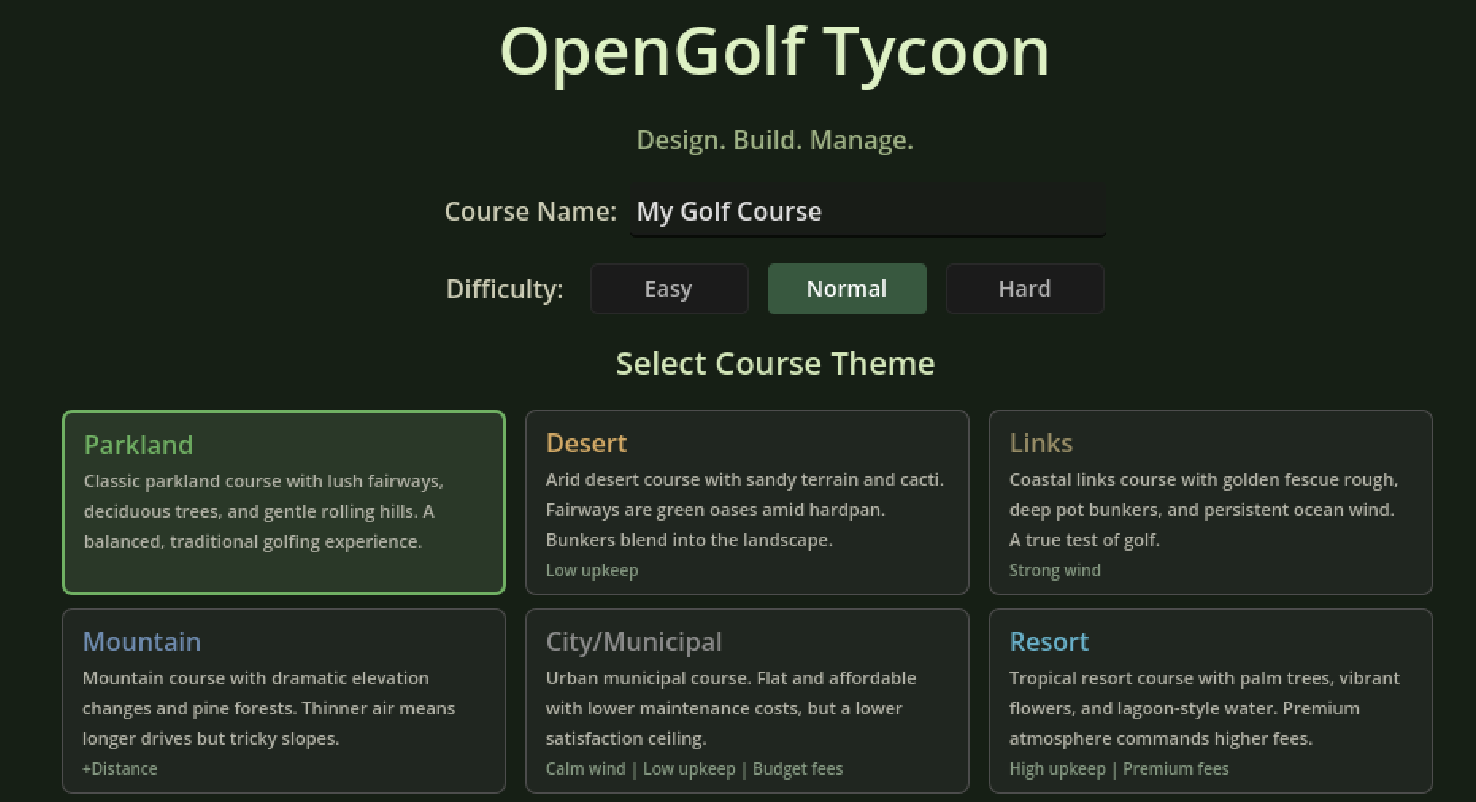
Over the last month of parental leave, I used Claude Code to build a golf course builder game. In this post, I'll share some lessons learned from building a game with AI and what I'd do differently next time. I'm also excited to share the open source playable version of Open Golf Tycoon hosted on Cloudflare at golf.kennyatx.com!
Welcome to the world, Baby J
My wife and I welcomed our first child, to the world last December and Cloudflare, being an awesome employer, gives four months of paternity leave. Anyone who has had a kid knows that this time is the most tired you’ve ever been while also providing lots of down time. After burning through an embarrassing amount of TV with my wife — Lord of the Rings extended editions, Modern Family, half of West Wing — I was finally TV’d out.
Along with running too deep into Netflix’s catalog, watching the virality of OpenClaw, hearing about Claude Opus changing the game, and my Cloudflare teammates dropping banger after banger AI feature, I was getting anxious about being left behind. I downloaded Visual Studio Code and the Claude Code plugin to get started. The decision to use Claude Code was mainly due to the hype around Opus 4.6 from my friends’ group text threads and general buzz online.
Next I needed an idea. I do miss Cloudflare but I was enjoying my four month break from B2B SaaS and any associated tooling — a game felt most appropriate to push myself, learn, and still have some fun. Outside of building great B2B software (sigh... 😂) I absolutely love to golf.

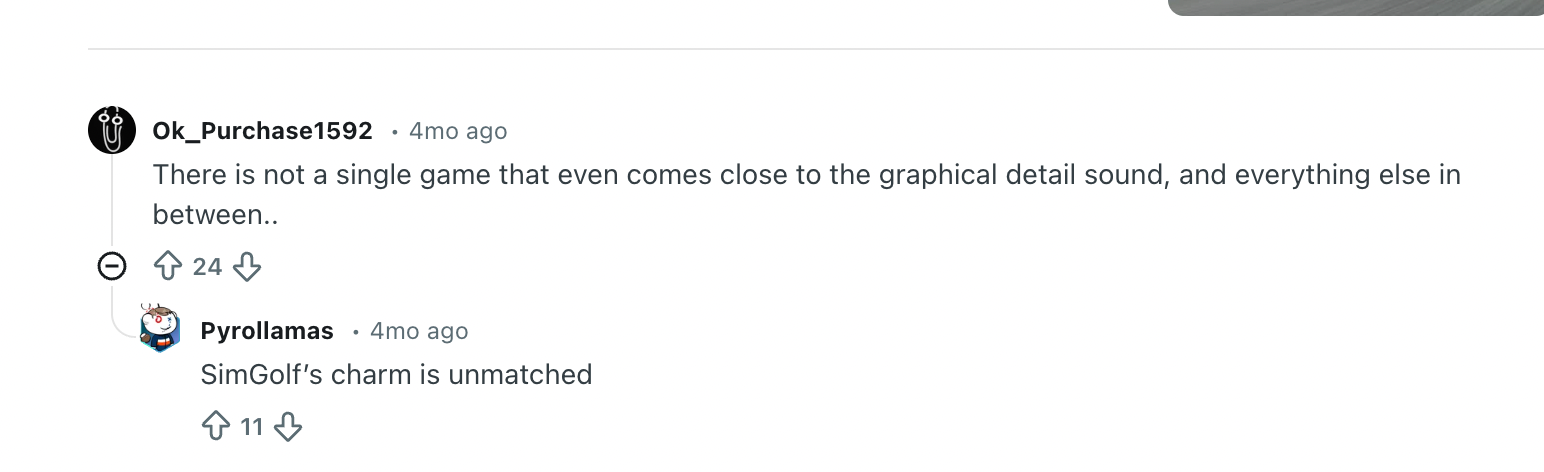
A game I played for hours growing up is Sid Meier’s SimGolf, a tycoon style golf simulator.
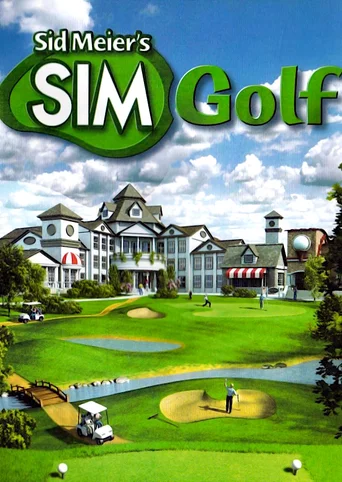
I've always loved golf and tycoon-style games — I spent weeks of my life on SimGolf, RollerCoaster Tycoon, Zoo Tycoon, and many more. So over the past month, I built an open source golf tycoon from scratch.
For those who didn’t grow up with it, SimGolf was a 2002 game where you designed and managed a full golf course from scratch. You’d pick from empty plots of land with different prices, sizes and natural topography, then carve a course through the environment while balancing a tight budget. My favorite part was guessing how the AI golfers would play your course. Poor routing led to players hitting drives up other fairways, while the feeling of seeing a golfer try to land their ball in a tricky narrow fairway to cut off a dogleg was immensely rewarding. You weren’t just placing tiles — you were reading how golfers responded to your layout and iterating. The economy was surprisingly deep, the golfer personalities were charming, and there was genuine strategic tension between building a course that was fun to play versus profitable to run.
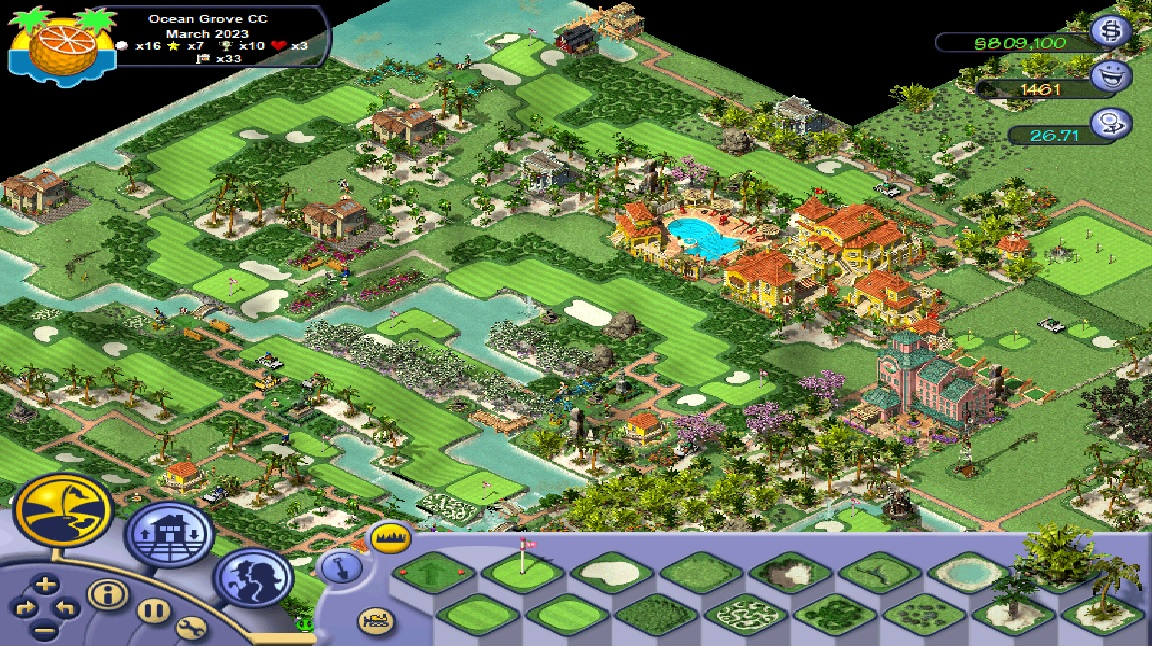
The game was published by Firaxis and quietly disappeared from commercial availability. You can find it on abandonware sites, but it only runs on Windows and barely holds together in emulation. I’ve gotten an old version running on VirtualBox (we’re a Mac household) but it crashed after I built twelve holes — maddening after investing a few hours to get it running. The community has been asking for a successor for over ten years, and there really hasn’t been another golf course design game of its depth. This felt like a perfect application for using AI to build a game: designing something I have a deep passion for, with some spare time but no direct game building experience.
I started out by researching if there were any decent open source implementations of a golf course builder on GitHub. I know multiple people have taken a swing at a similar game but ultimately the options were pretty sparse:
- https://github.com/jbearer/GolfSim - not updated in 7 years, incomplete code
- https://github.com/OpenSMSG/OpenSMSG - basically an empty repo
Choosing a Platform and Stack
I knew of Unity but didn’t know much beyond it being a platform to build games. So I asked Claude for guidance on which engine would make sense for a solo project.
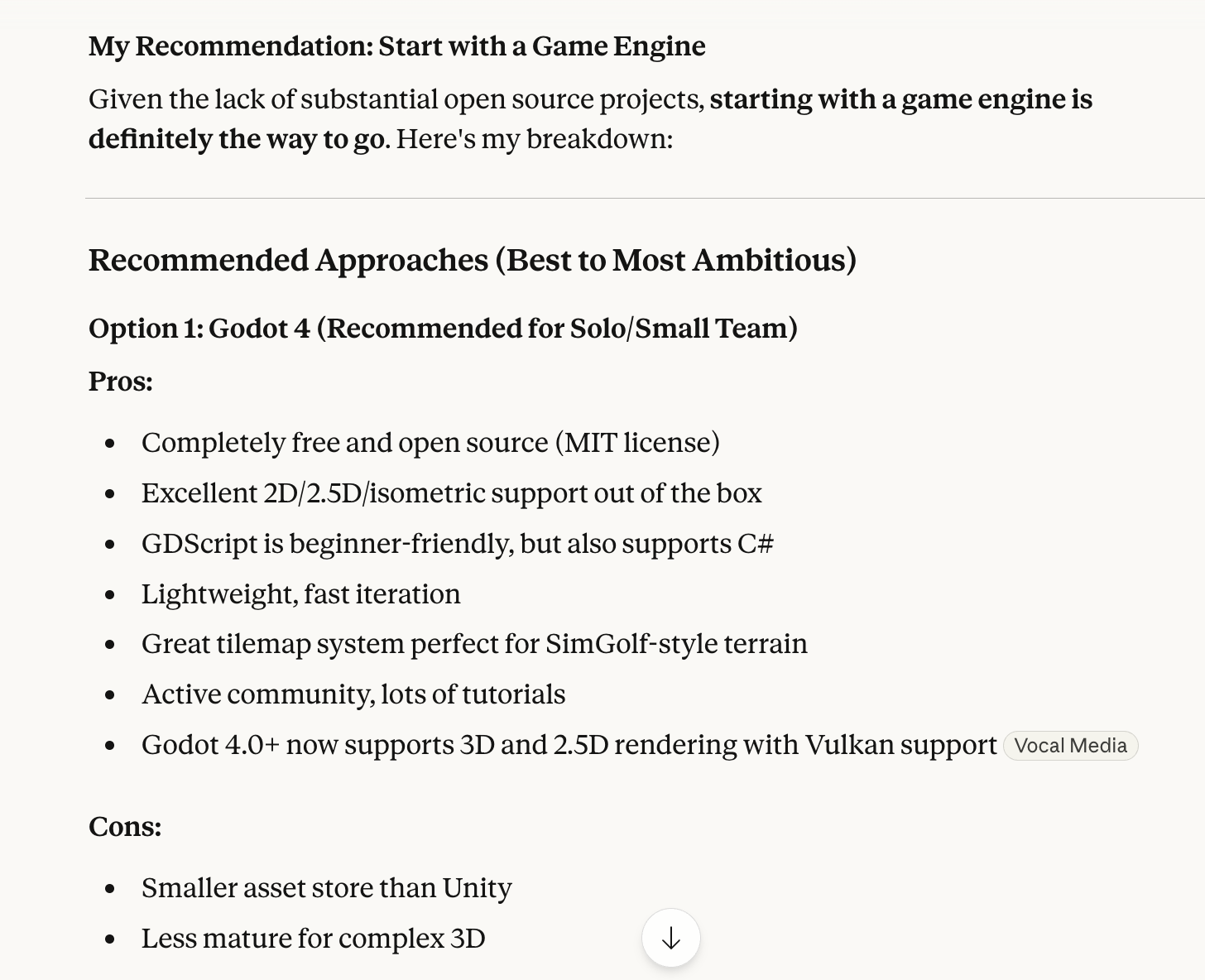
Based on Claude’s input and my general love of open source, I opted for Godot. For the technically curious: the full stack is Godot 4.6 with GDScript, Claude Code in VS Code for primary development, Claude mobile app for ideation, Claude Opus for the heavy lifting, Git/GitHub for version control, and hosted the web version on Cloudflare Workers, R2 and KV.
In hindsight, Unity might’ve been easier for AI-assisted development, and I think this is an under appreciated factor when choosing a tech stack for vibecoding. Claude’s training data skews heavily toward Unity, React, Python, and other massively popular frameworks. When I asked it to implement something in Godot’s GDScript, it would occasionally hallucinate invalid syntax, confuse Godot 3 with Godot 4, or suggest patterns that work in Unity’s C# but don’t translate. The fix was usually straightforward — paste the error, Claude corrects itself — but it added friction that I suspect wouldn’t exist with a more heavily-represented engine.
That said, Godot’s editor was easy enough to use and I didn’t need to rely too heavily on the editor UI itself. I primarily used output debugging and fed that back into Claude. The tradeoff matters: if your goal is maximum AI autonomy, pick the most popular framework. If your goal is to actually understand and maintain what the AI builds, pick something you can read.
One thing worth noting — Godot’s scene/node architecture is core to the platform and I don’t think Claude did a great job respecting it early on. The original version ended up as a single “super scene” with a ton of nodes, which is counter to Godot best practices. Ideally I would’ve split into more modular scenes so the golfer system wouldn’t accidentally break the terrain generator. But you live and learn. 🙂 I was able to get Claude to do a decent amount of refactoring later in the process.
Building a golf tycoon simulator from scratch
The first step was prompting Claude Code to create the scaffolding of a tycoon golf game.
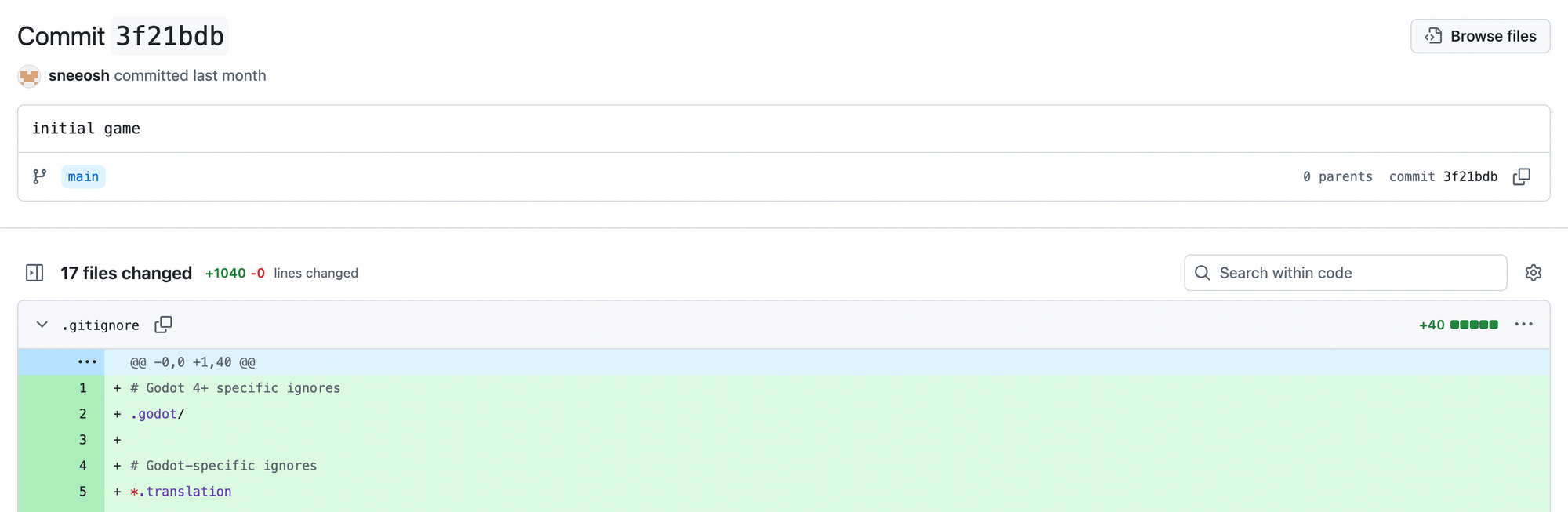
I was ambitious about this working first shot, but hey, a kid can dream. The first prompt output generated a ton of code and triggered a parser error in Godot — awesome. Not to be discouraged, I worked out about ~25 bugs and issues in between diaper changes and bottle feeds. By the first night, I had a really ugly green canvas with the ability to place fairways, trees and rocks along with golfer spawning logic that didn’t work.
Over the course of developing I learned a number of lessons that would massively speed up my next vibe coded project.
Lessons Learned
Act as a Product Manager — Write Specs, Not Prompts
When I started out, I tried to do everything in the prompt. This led to lots of wasted time waiting for the agent to chug through the idea. I also lost thought process continuity since agent responses can take 5-10 minutes.
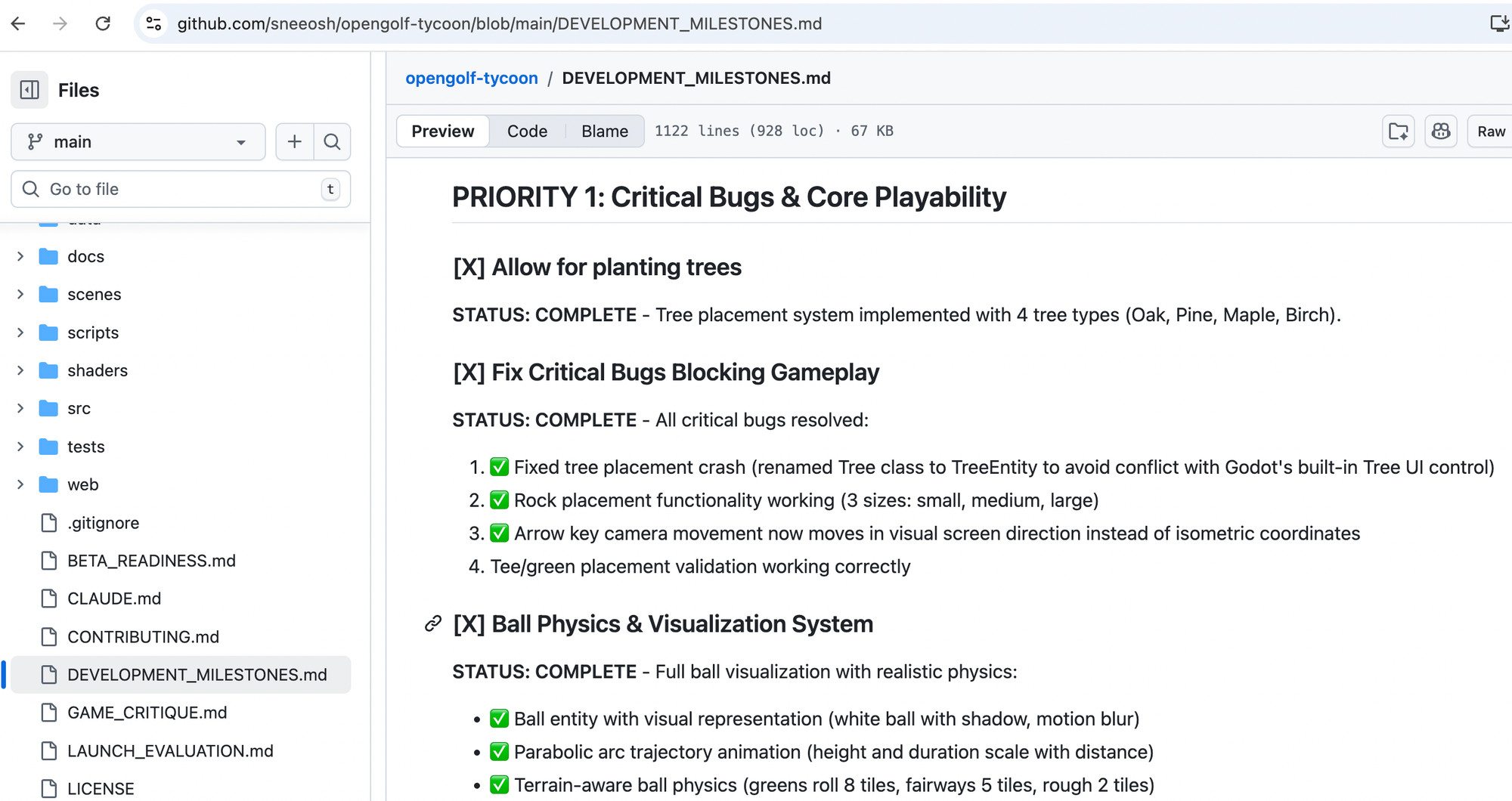
Instead, using a markdown file with a PRD and development milestones provided way better results. I ended up creating a development milestones markdown file that broke my ideas into a concrete set of elements for Claude Code to develop and then allow me to test. This one change — treating the AI like a contractor who needs a spec, not a colleague you can whiteboard with — was probably the single biggest accelerator.
Standard Software Engineering Principles Still Apply
I found myself fighting the urge to add UI polish, fix small bugs, or optimize speed issues. But keeping focused on a rectangle (golfer) hitting a circle (golf ball) across the screen paid significant dividends down the line. To be honest, I wish I had spent even more time completely nailing the golfer shot logic, even in text form. But that's less gratifying and I may have lost steam.
Any time I tried to let the model implement multiple features at once — say, building creation and golfer needs simultaneously — I burned way more time debugging and guiding the model to fix it. Compare that to nailing each feature individually, wrapping it with tests, and then trusting it as I layered more logic. Much better.
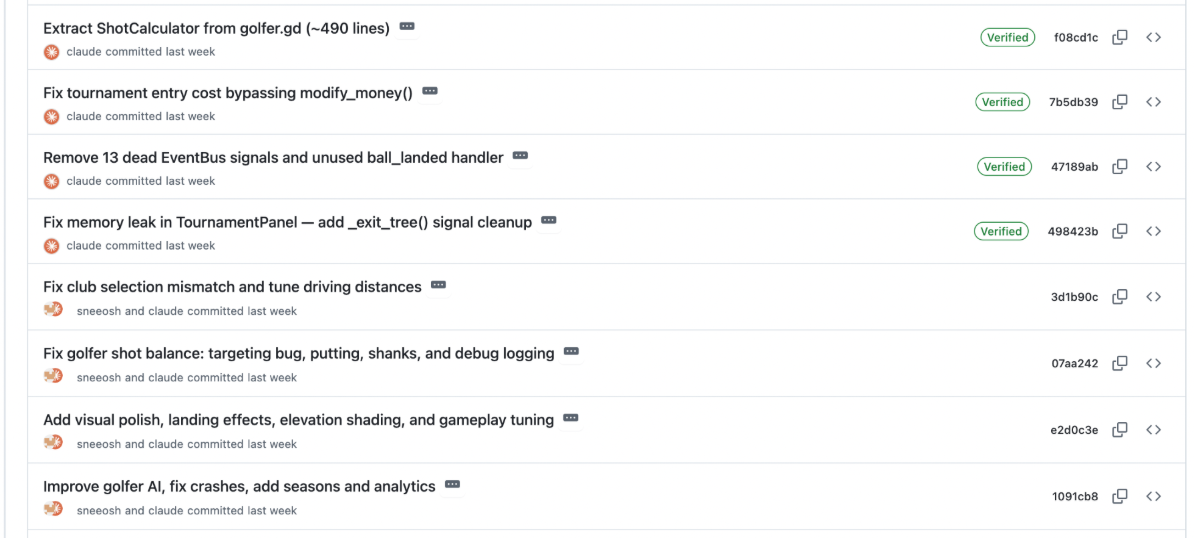
A good example: trying to improve the golfer’s AI and add seasons at the same time, only to completely refactor the shot calculation logic four hours later… 😅
Role-Based Prompts Were Better Than I Expected
My first few days of development, every prompt was something like “please develop a system to do XYZ.” After switching to markdown specs, I also started using Claude Code as different employee types. Every one of these prompts generated insights and code changes that I wouldn’t have thought of as the developer. It provided the perfect supplement to my slightly fried dad brain.
Here are some that generated particularly helpful output:
You’re an expert in in-game economics. Please simulate out the current game economics of building, maintaining and improving an 18 hole golf course. Will the current economic model work while avoiding runaway inflation or become trivially easy by the end of the game?
You’re a talented 2D art director. Please review the current assets and design of the game and suggest improvements. I think many of the assets like buildings, trees, golfers, etc could look more appealing. I’d like to see your proposals based on your analysis.
You’re the product manager in charge of bringing this as a beta to market. Please deeply analyze the current functionality of the game and propose what else needs to be implemented in order to ship to a broader audience. Put this into a markdown file.
Can you act as a CTO and review the project for tech debt or future maintainability issues?
You are an experienced game critic. Please harshly evaluate the game on its strengths, weaknesses and areas to improve.
You’d be surprised how much value you get from asking an agent to wear a hat you’ve never worn yourself! Another great quick tip if you don't have time to wait on a response is to ask the agent to drop the feedback into a markdown file and open a PR with it.
Creating plain English abstractions
Tuning algorithms like the ball dispersion and golfer ability took a lot of trial and error. I started off by manually manipulating the variable values, restarting the game, and then letting a few golfers play a hole. This got tedious quickly. As an example, tuning each golfer tier was difficult to do directly in the code itself.
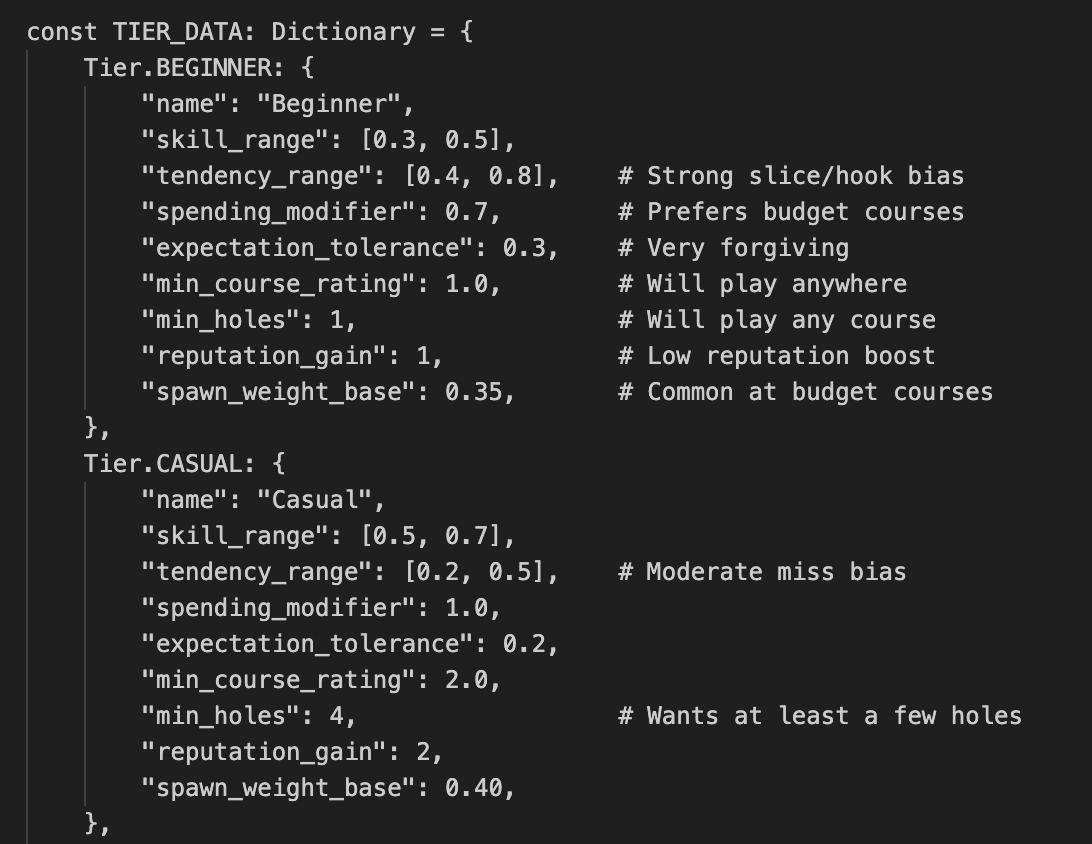
This involved lots of tweaking of variables and then waiting for the game to play out.
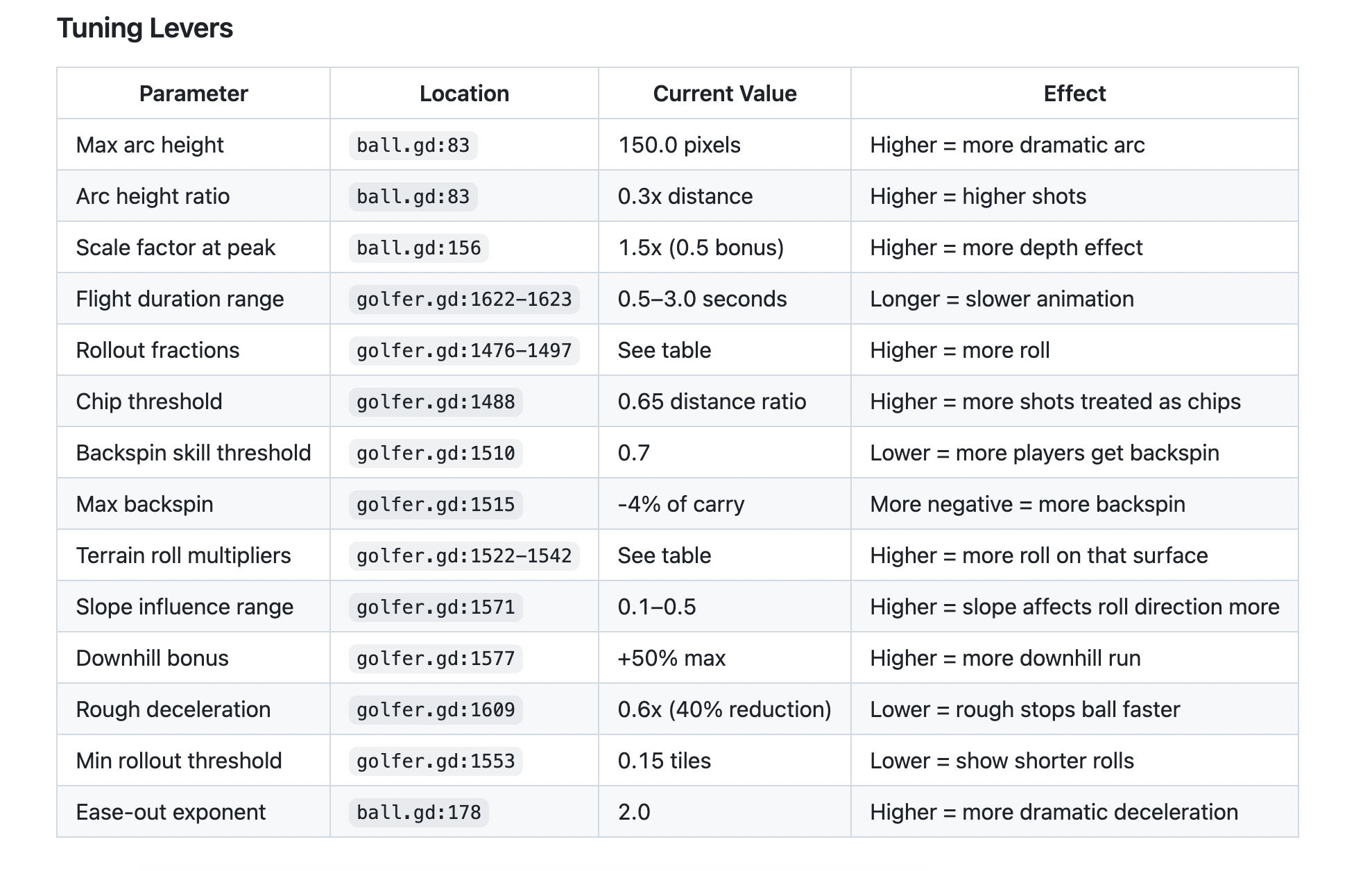
Then I had the idea to have Claude write out each algorithm in plain English with a variable tuning section. This allowed me to more easily spot logic gaps in what had been implemented as well as know exactly which modifier I should tune to get a more realistic outcome.
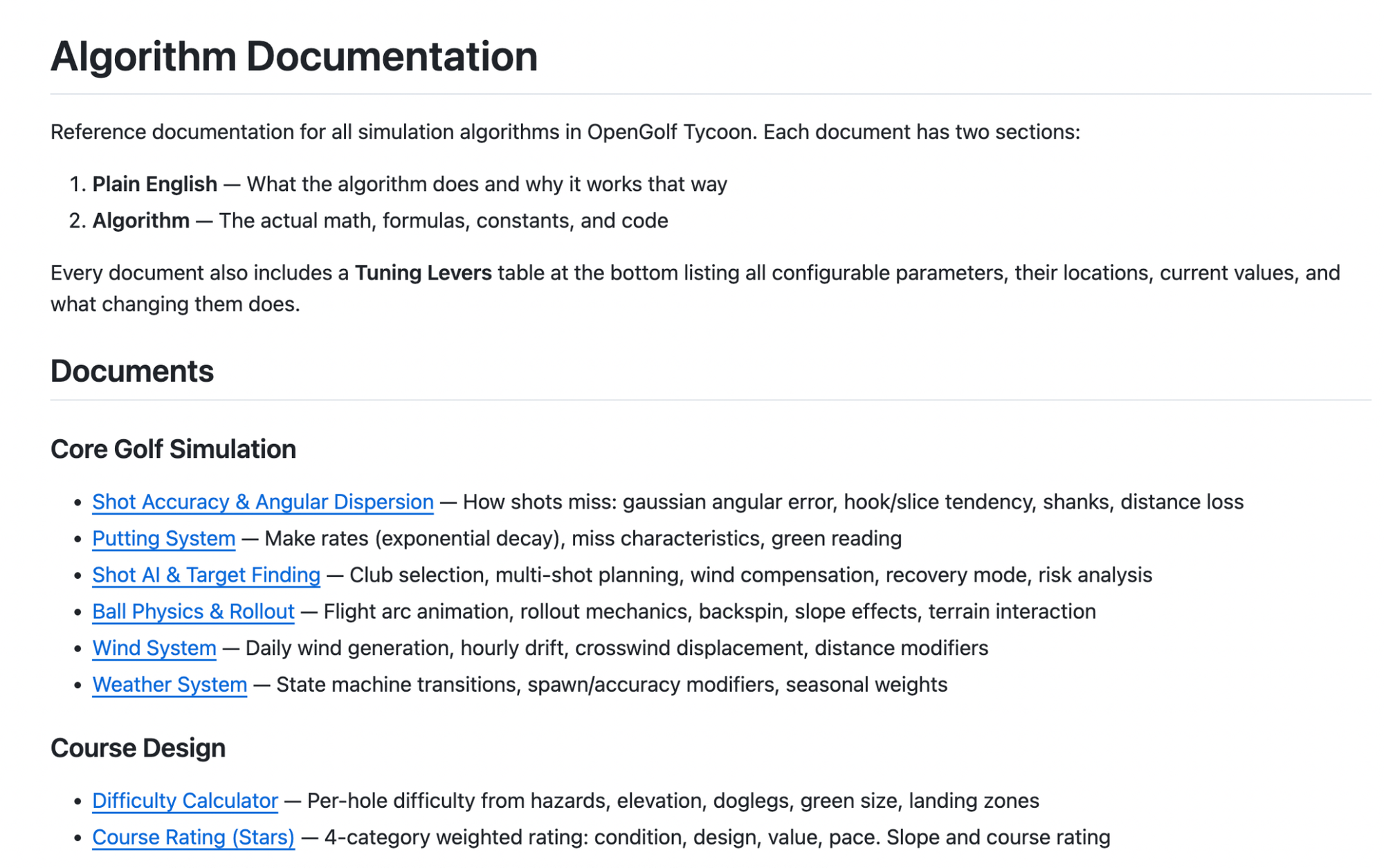
Instead of having to mess with the code and variables directly, I can open a PR with adjustments to either the plain English description or the tuning section and then have the model challenge any issues and watch it play out on the course. Or directly manipulate the tuning lever table and ask Claude for updates, instead of hunting for variables in code.
Claude Mobile for Late Night Ideas
I did all of my direct game testing and hard work on my laptop in VS Code. But some of my best one-off ideas, bug fixes, and refactors came from late night ideas punched into my phone’s Claude app while feeding my son at 3 AM.
The key was asking Claude to break implementations into separate commits and PRs that I could then get to during nap time throughout the day. This massively accelerated my ability to drive the game further. That said, anything beyond 4-5 large PRs became too big to test in one sitting. Claude’s great, but it pretty much never gets anything over ~100 lines of code perfect, especially when UI work is involved. The few times I opened 7+ PRs, I ended up throwing away 2-3 of them.
Claude’s Biggest Struggles: UI, Sounds, and Menus
Claude is great at calculating a Gaussian probability model for sand wedge dispersion. But when it comes to picking a menu layout or color palette, it had to be babysat every single time.
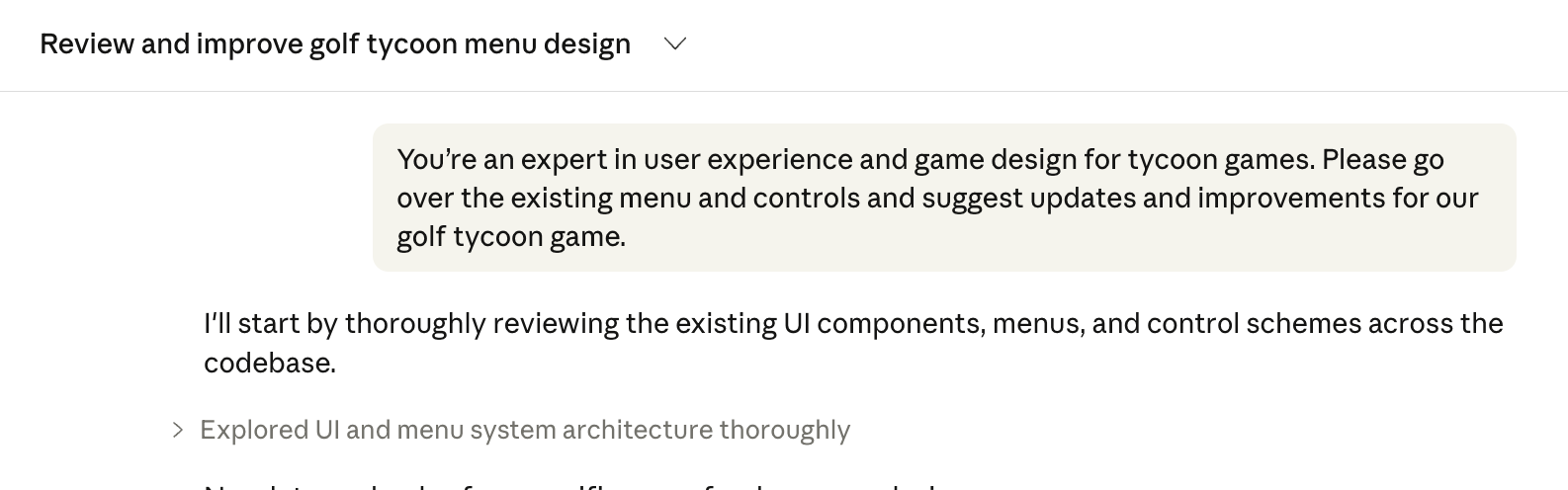
Sound was also hilariously bad. Claude decided to put in a “wind” sound that was literally persistent static. 😂 Sorry to my buddy Chase, who tested an early version — I almost blew his laptop speakers.
Batch Your Feedback into Markdown Files
For the first few weeks, I was giving one-off input and waiting for Claude to fix each item before moving on to the next. This led to lots of lost cycles because I only had so many 5-10 minute slots to test the game, write up the bug, wait for the fix, repeat.
Instead, I created a “feedback_for_agent” folder with markdown files and logged bugs as I played. This allowed me to do a full test play, then hand Claude a batch of 5-10 bugs at once in Plan Mode, and let it chug through a plan. This probably doubled my throughput overnight.
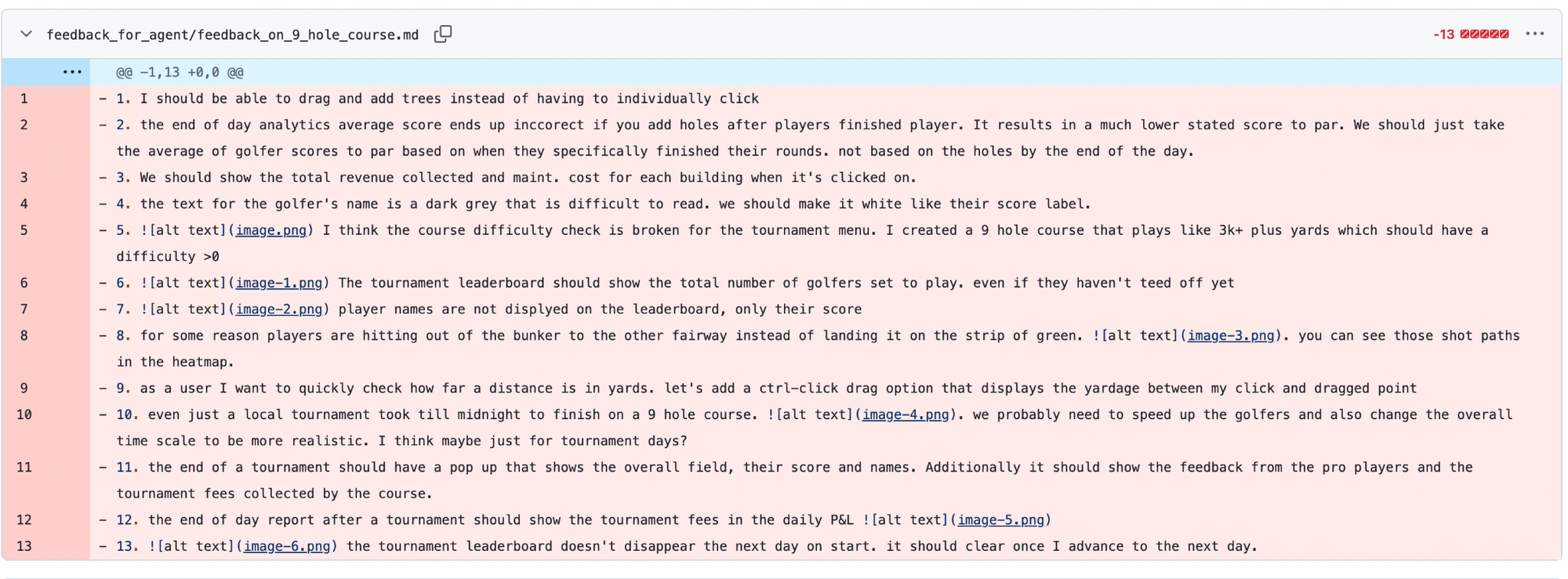
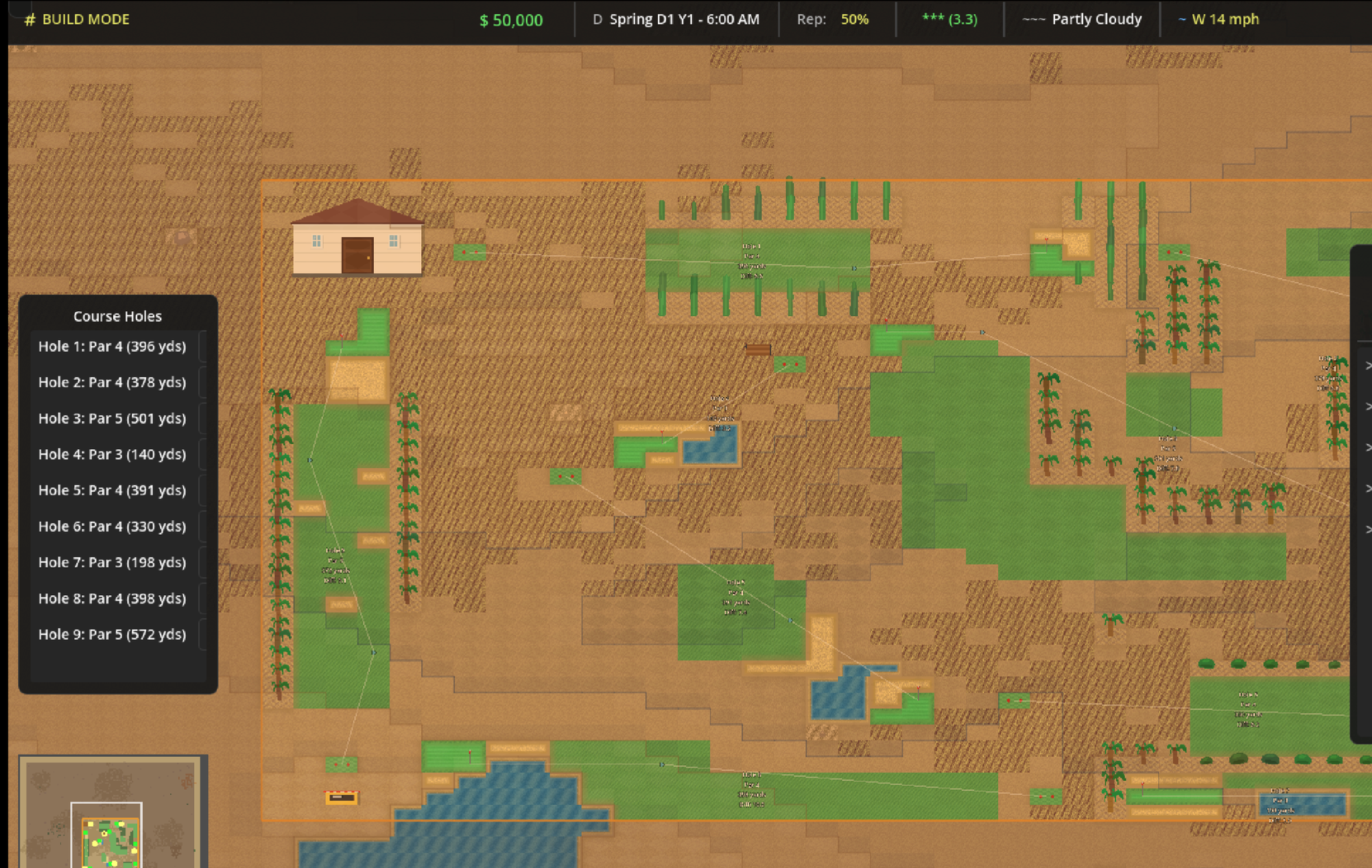
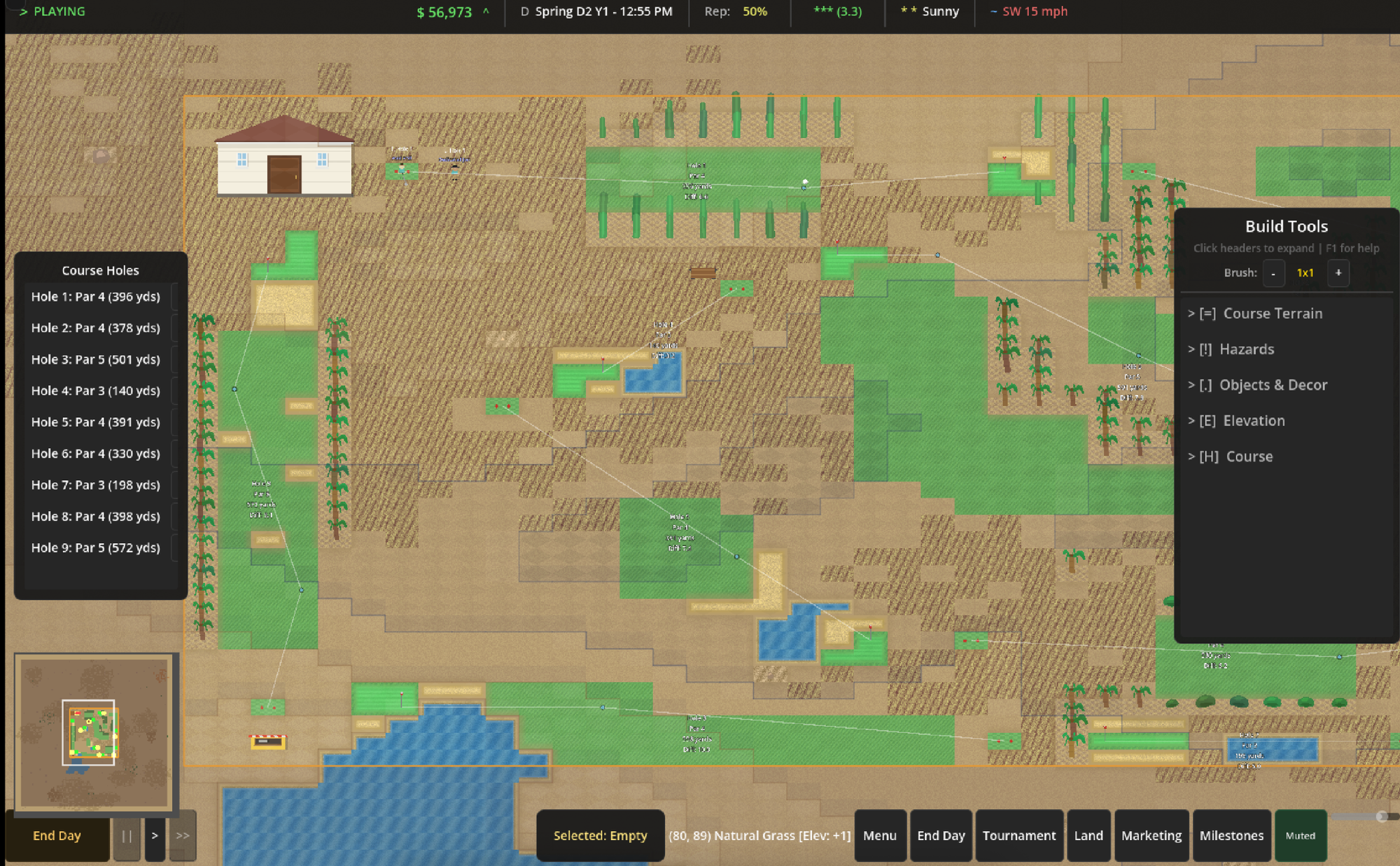
I was able to play my desert 9-hole course for ~15-20 minutes to collect feedback and continuously trigger Claude to update its plan to fix the issues while the game was running.
Use AI to Generate Better AI Prompts
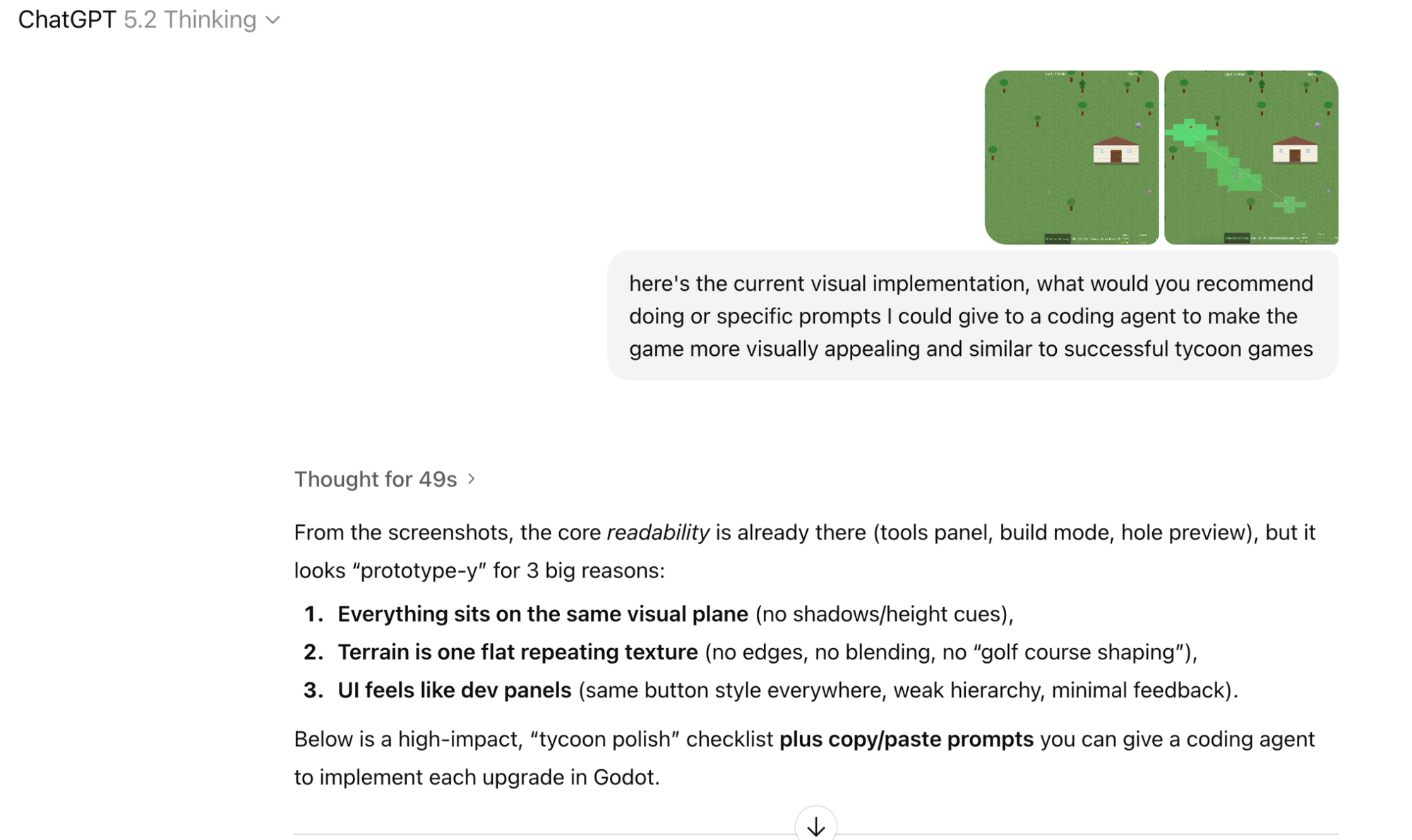
I ended up prompting Claude and GPT for additional ideas of what to prompt Claude Code with. This led to a number of novel ideas and extensions that I wouldn’t have come up with on my own.
Know how Git source control works
The agent has a good understanding of Git, but you can still get into trouble if you don’t know how it works. I’d highly recommend brushing up on the key concepts: commit, pull request, rebase, cherry-pick, etc.
The most common footgun for me was having 5-6 different open PRs that didn’t build on each other and losing features I added to one branch that got overwritten in another. I highly recommend adding guidance into your claude.md file to always check if a rebase or merge conflict validation needs to occur. It's also just faster sometimes to grab branches yourself instead of waiting for Claude to traverse your whole codebase.
What I’d Do Differently on Day One
Stepping back, this is the advice I would give myself getting started:
Start with the spec, not the prompt. My single biggest time sink was the first week of building entirely through conversational prompts. The moment I switched to proper markdown specs and development milestones, everything accelerated. If I started over, the very first thing I’d create is a project brief and a phased milestone doc before writing a single line of game code.
Pick one feature, make it great, then layer. I wasted at least two full days trying to get golfer AI and building placement working simultaneously, only to completely rip the first version of the AI out. Every time Claude touched the golfer code it broke the buildings and vice versa. The lesson is basic software engineering — get one system solid, wrap it in tests, commit it, then move on. AI doesn’t change this, it just makes it tempting to skip because the agent feels like it can handle the complexity. It can’t, reliably.
Set up the feedback markdown folder from day one. I didn’t start batching feedback into markdown files until week three. Those first two weeks of one-off bug reports and waiting for fixes were painfully slow, in retrospect.
Introducing Open Golf Tycoon
After a little under a month of on-and-off vibe coding, I’ve reached a point of only slight embarrassment to share my creation with the world (i.e. the 5 people that read this blog post 😅). I’m excited to present Open Golf Tycoon, an open-source golf course builder with full golfer AI, a deep(ish) economy, and ten different course types.
Choose your starting course land type. Then, build the golf course of your dreams and watch golfers either tear up your easy holes or have their dreams crushed by forced carries and deep bunkers.
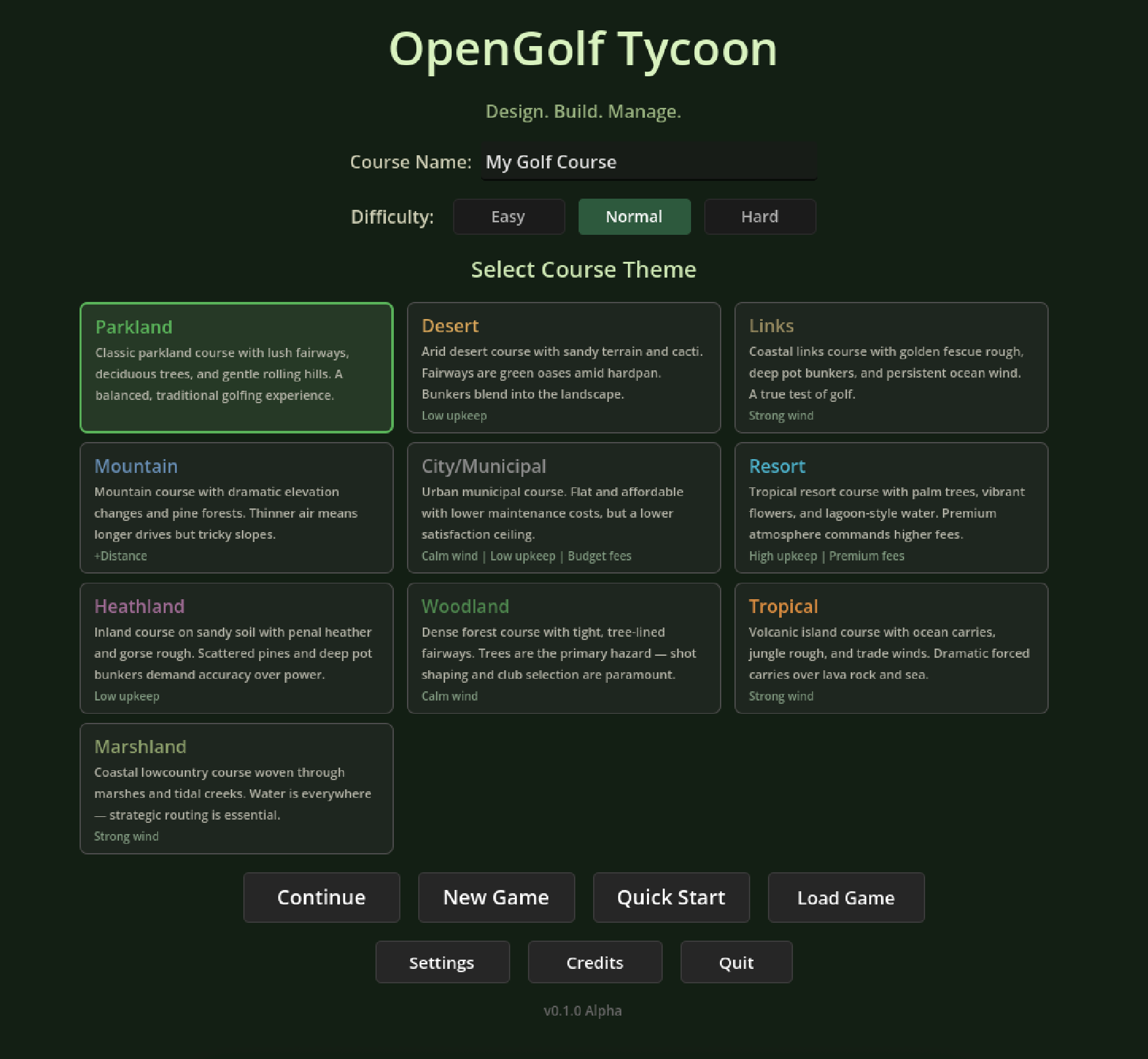
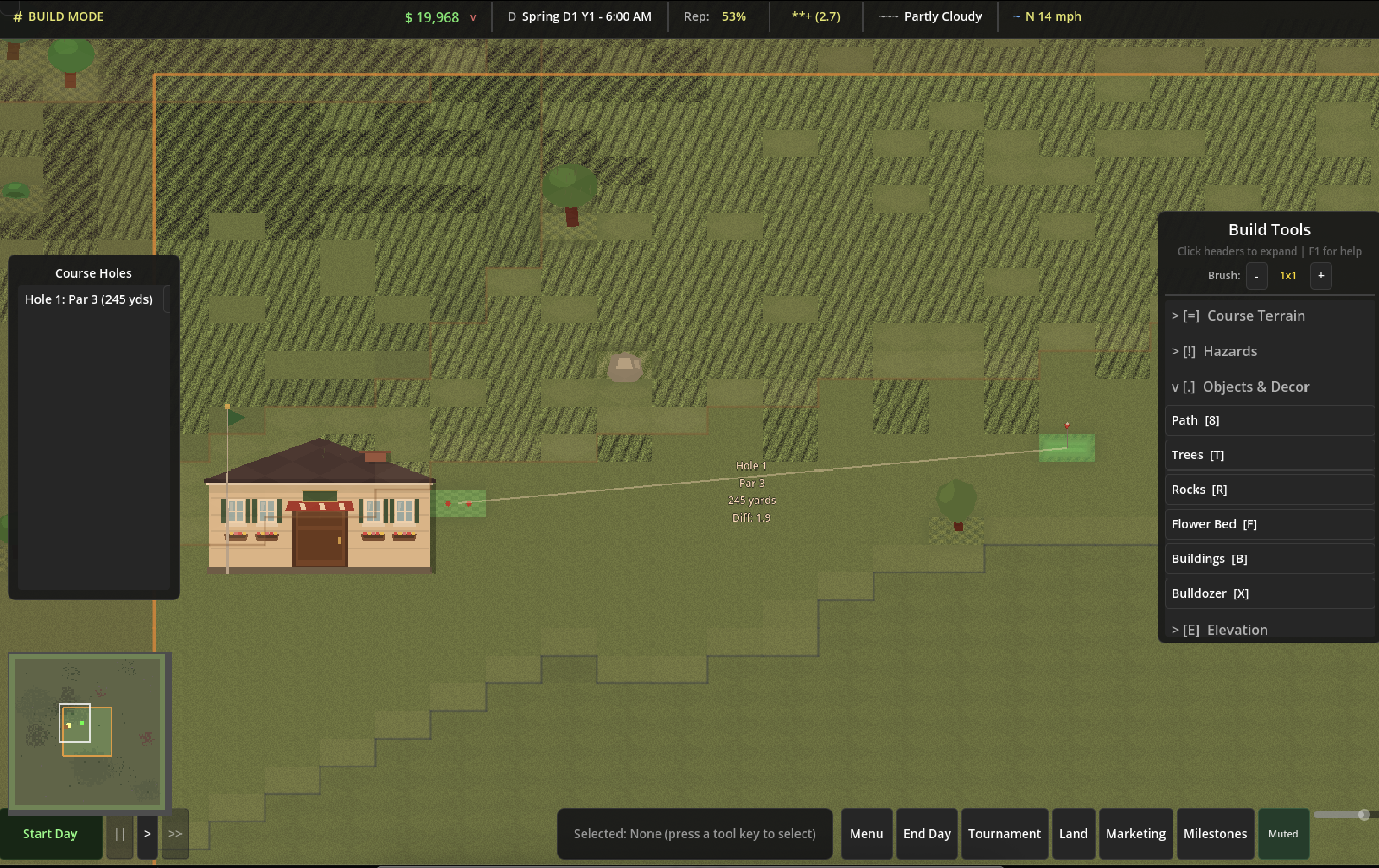
The game runs entirely in Godot and features course types ranging from a lush Augusta-style parkland to windswept Scottish links to a desert oasis. Each has its own vegetation, color palette, and terrain characteristics — all procedurally generated with Claude’s help.
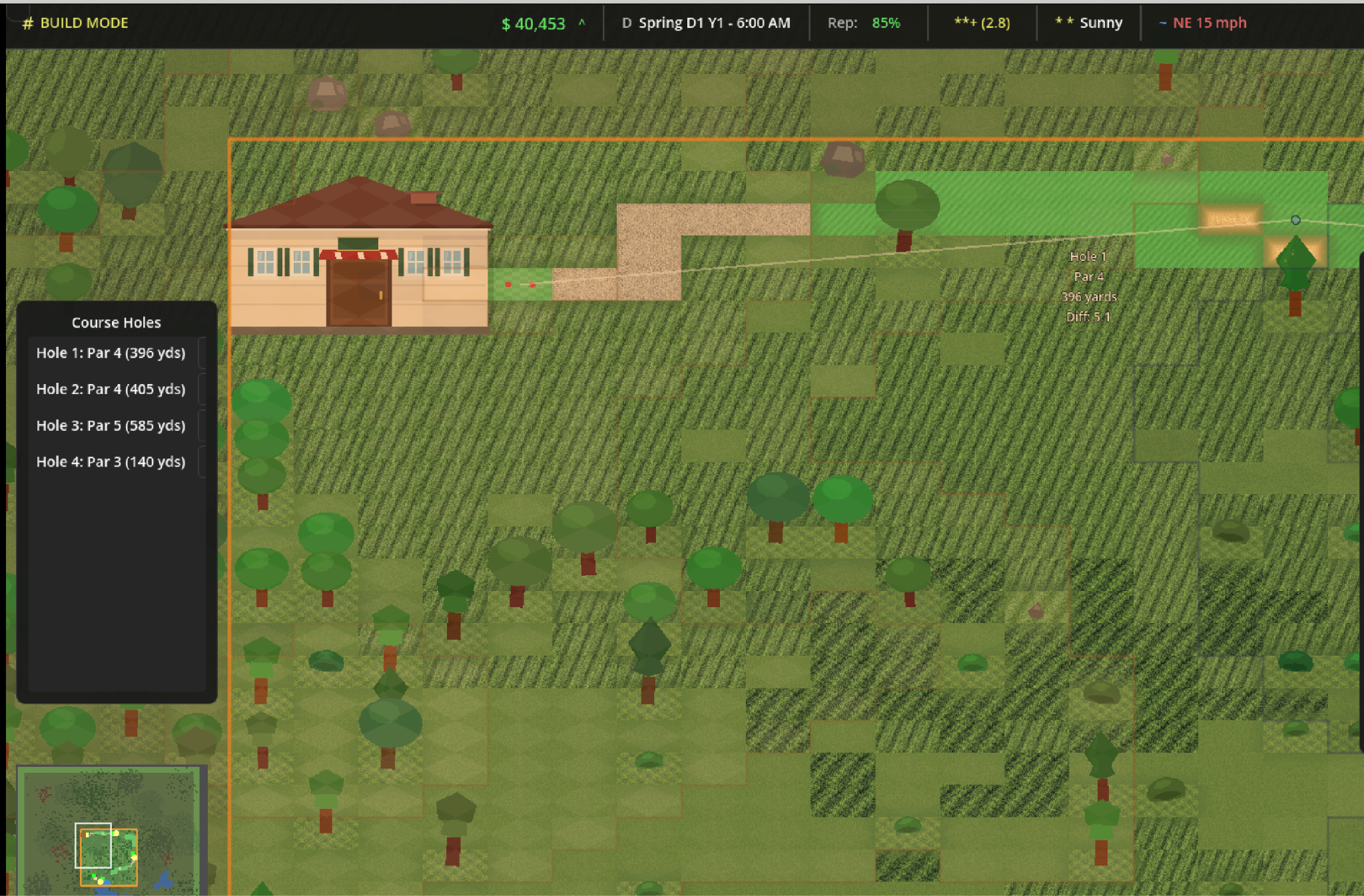
Is it going to win any design awards? Absolutely not. But for something built by a sleep-deprived new dad with zero game dev experience and an AI agent, I think it holds up. And more importantly, it’s genuinely fun to play — which is the part that surprised me most.
Here are the features I’m most proud of.
Golfer AI
This took a number of iterations, but I’m really pleased with the result. The golfer AI includes a probability-driven dispersion model based on each spawned golfer’s miss tendency (slice or hook). The better the golfer, the tighter their dispersion.
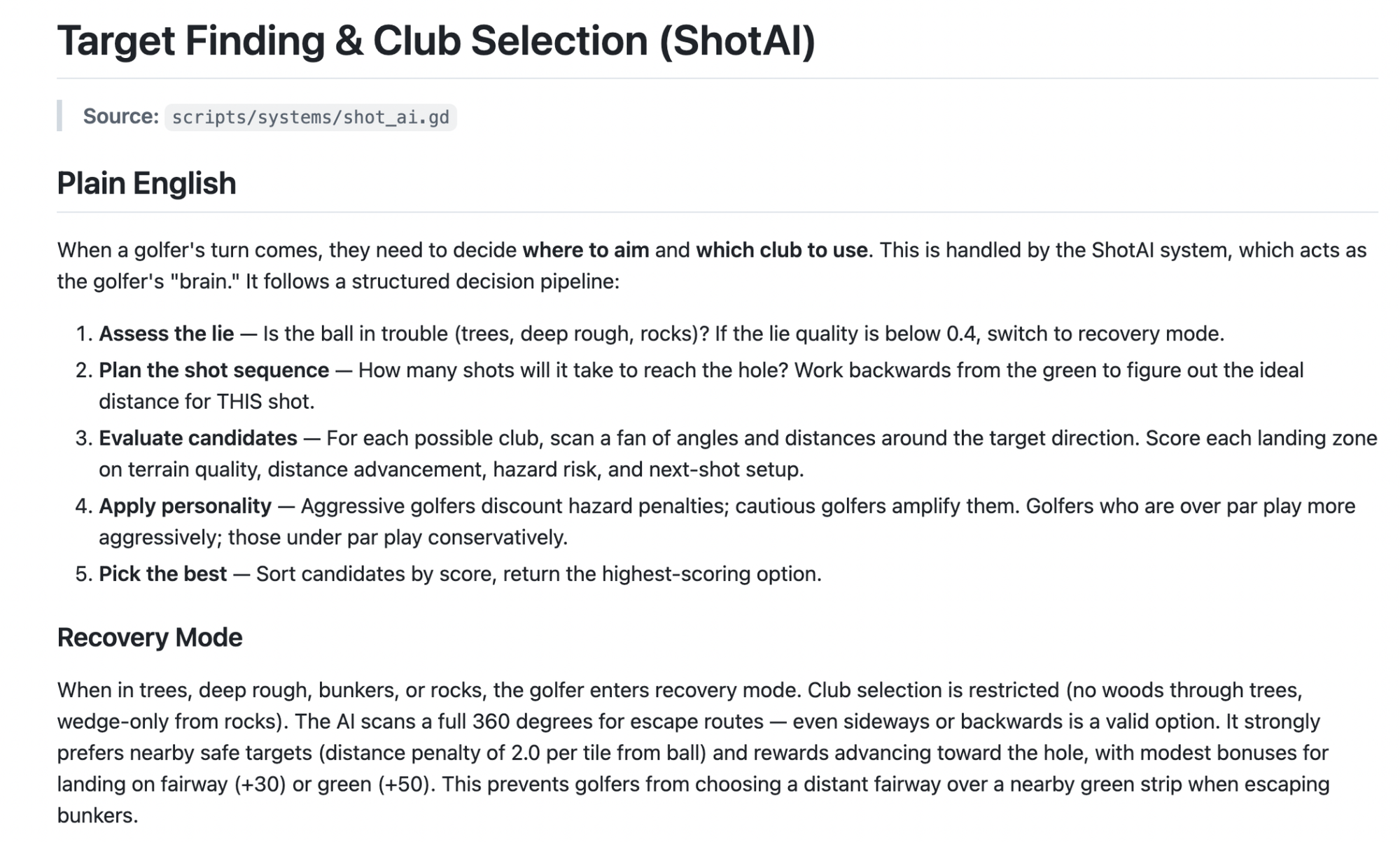
The initial versions really struggled — hitting balls into nonsensical places, putting from 30 yards off the green, choosing putters when they should’ve been chipping, etc. Claude took quite a bit of guidance from my own golfing background and sources like the USGA to get this right.
Now I’ve got it dialed in to where golfers will try to drive short par 4's, attempt risk/reward shots when you split fairways, and respond to many of the design tricks you’d see on a real course.
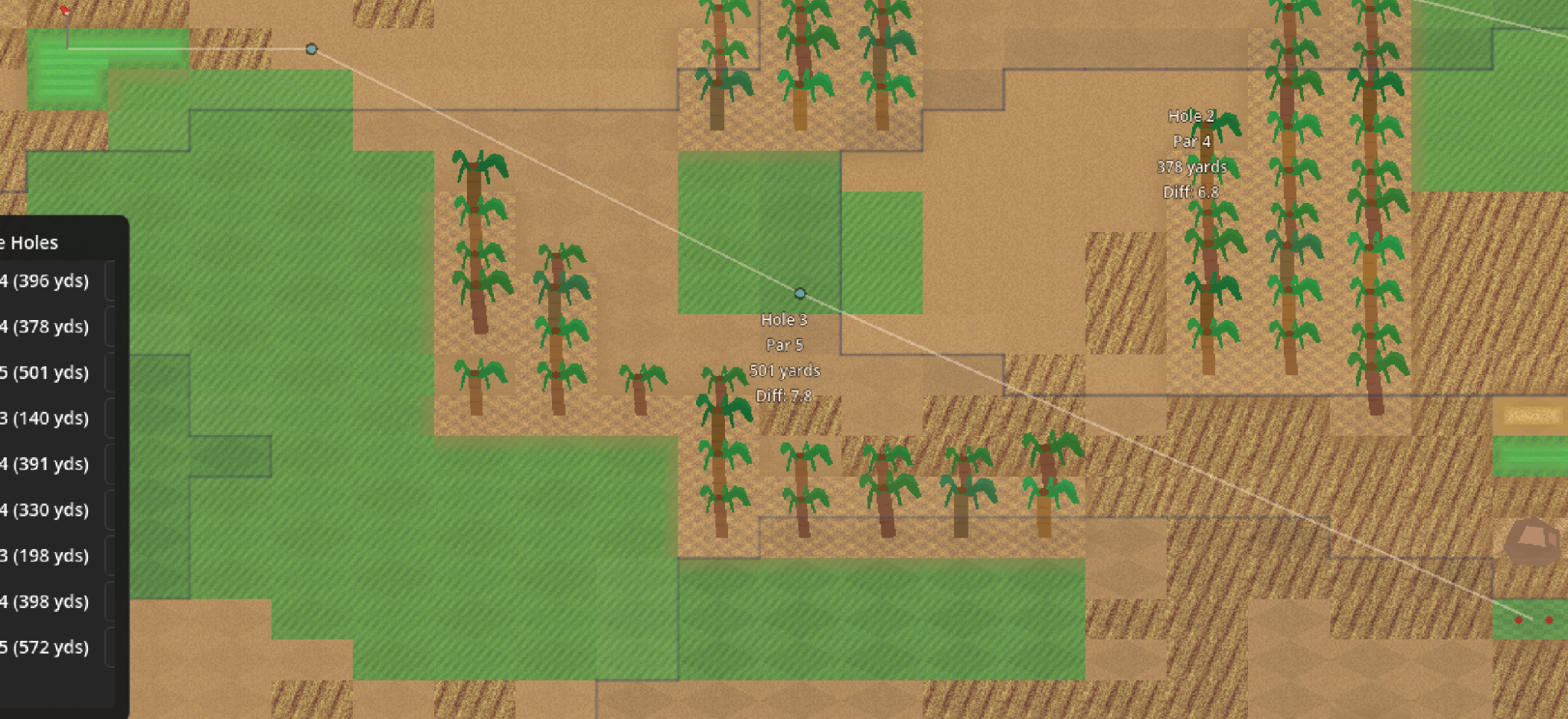
This split-landing par 5 sees good golfers trying to hit the pinpoint fairway then go for it in two, while beginners take the dogleg right and play it as a three-shot hole. Getting this kind of strategic response from AI golfers was one of the most satisfying moments of the whole project.
Geographically Accurate Course Types
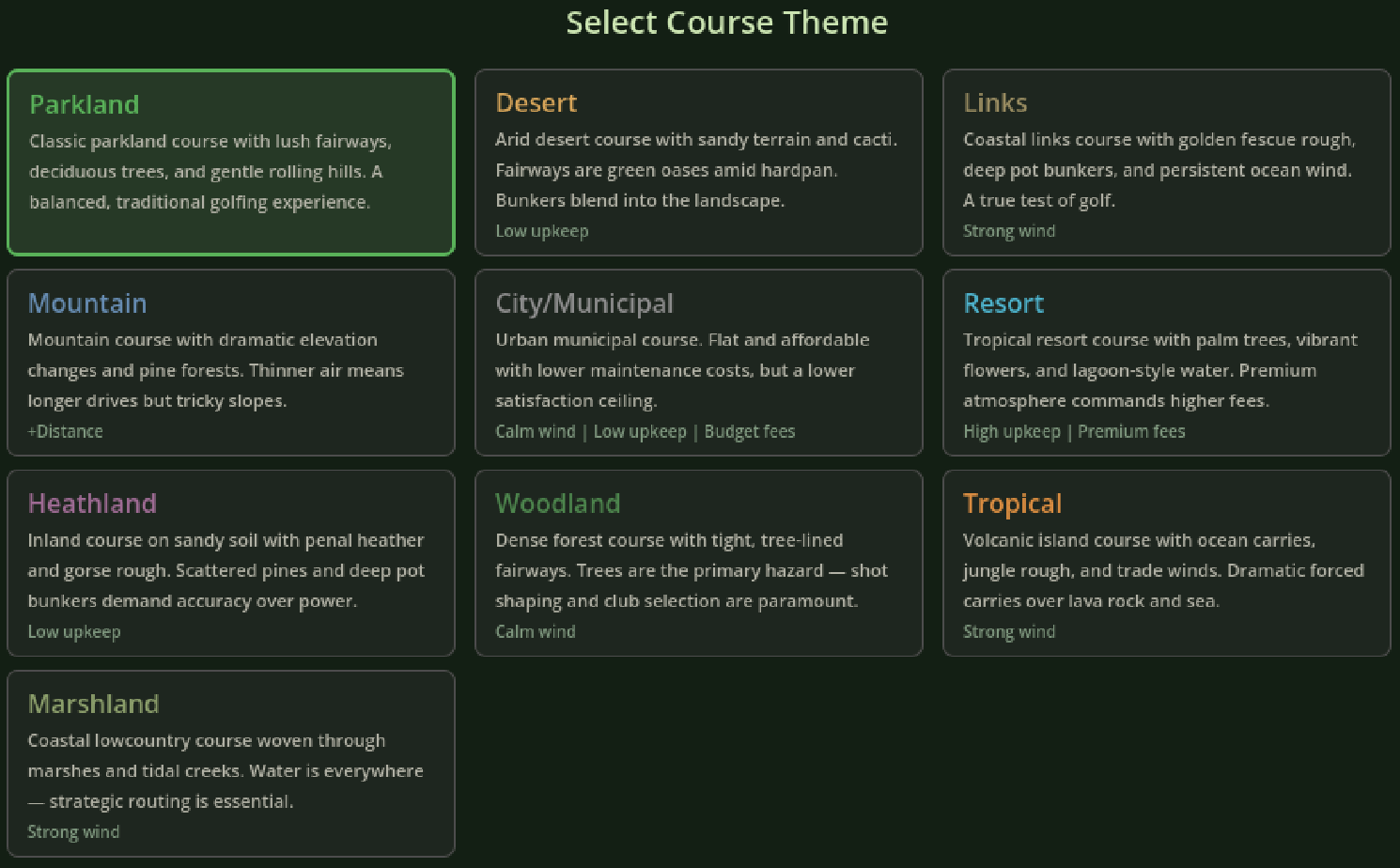
This was surprisingly easy to do with AI and would’ve taken much longer to hand design. Within about an hour, I extended a basic golf course into ten different course types with varying tree availability, characteristics and color schemes. I prompted Claude to add additional course types beyond the initial five I came up with, and the AI-generated courses came out great.
Economy and Progression
This is where I did less prompting myself and leaned heavily on Claude to generate a game economy that isn’t too hard or too easy. The beauty of the AI approach is that Claude could simulate hundreds of different outcomes that would’ve taken me hours of spreadsheeting to model. Once it did the initial balance, I made tweaks.
Each spawned golfer fits into four skill tiers — rookie, casual, avid, and pro — and their spawn frequency is determined by your course rating and prestige. The better your course, the better the players you attract. Trees, water, bunkers, hole difficulty, staffing levels and more all feed into each hole and the overall course rating.
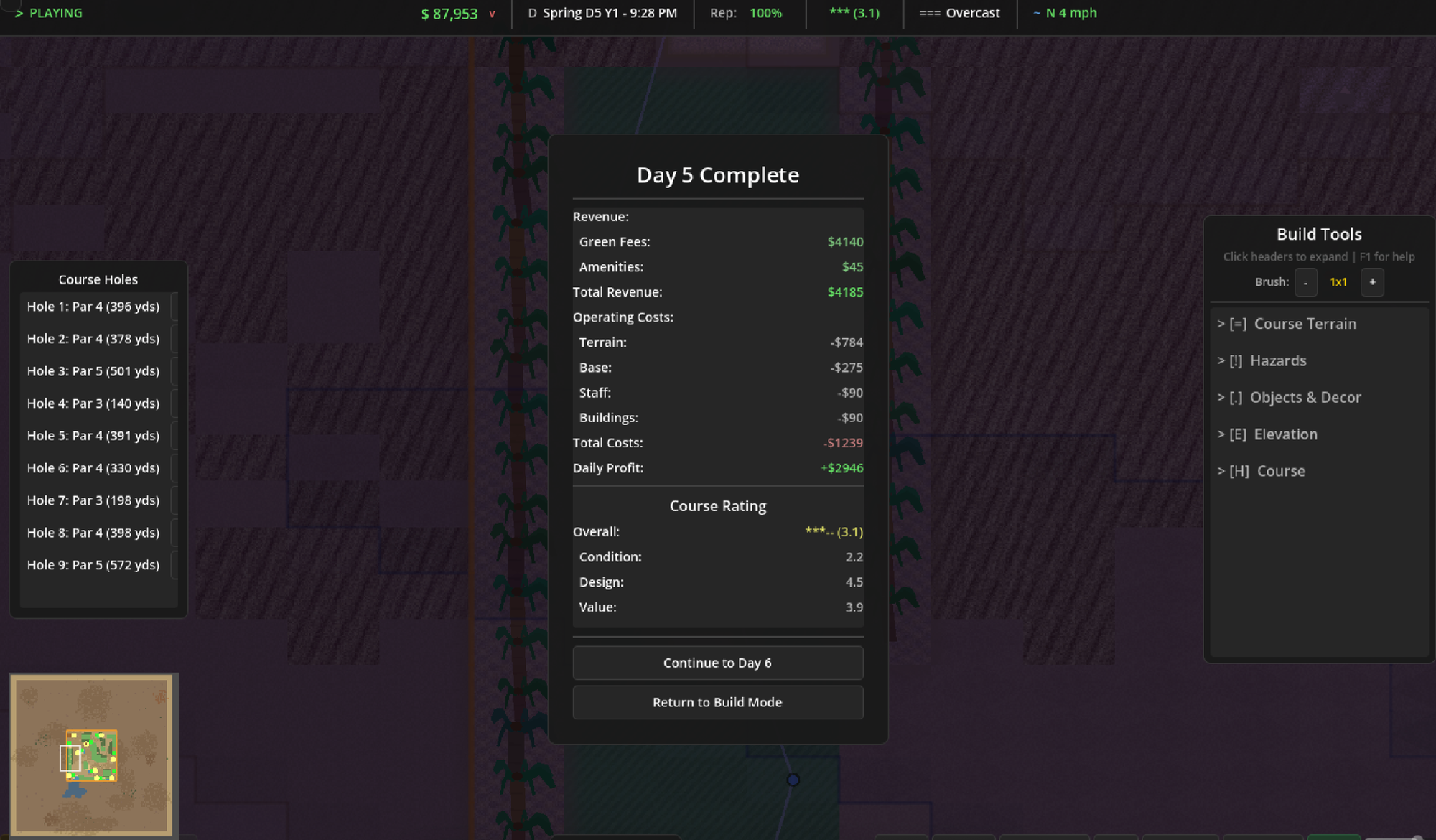
One of my favorite mechanisms in the original SimGolf was getting holes into the top 100 and top 18 globally. I built out a star and reputation system that lets you start with a small local muni and eventually work your way up to a world-class course.
Other fun details
A few other systems worth mentioning: the golf rules engine closely follows real rules like no drops closer to the hole, pickups at net double bogey, and accurate par values based on hole distances. Ball flight required differentiating between drives, full iron/wedge shots, chips, and putts — plus backspin on wedge shots from better players. And golfer pathfinding was more difficult than I initially thought. After watching golfers fly across the screen, walk over water, and zigzag around, I was able to build a reasonable pathfinding system that actually looks realistic.
Ultimately it is the most rewarding to build out something that resembles a golf course, see golfers play with strategy familiar to me, and get the occasional birdie with mostly pars and bogeys. 🙂 Getting these all done in about a month still feels like magic.
What this cost to build
This cost me about $140 to build.
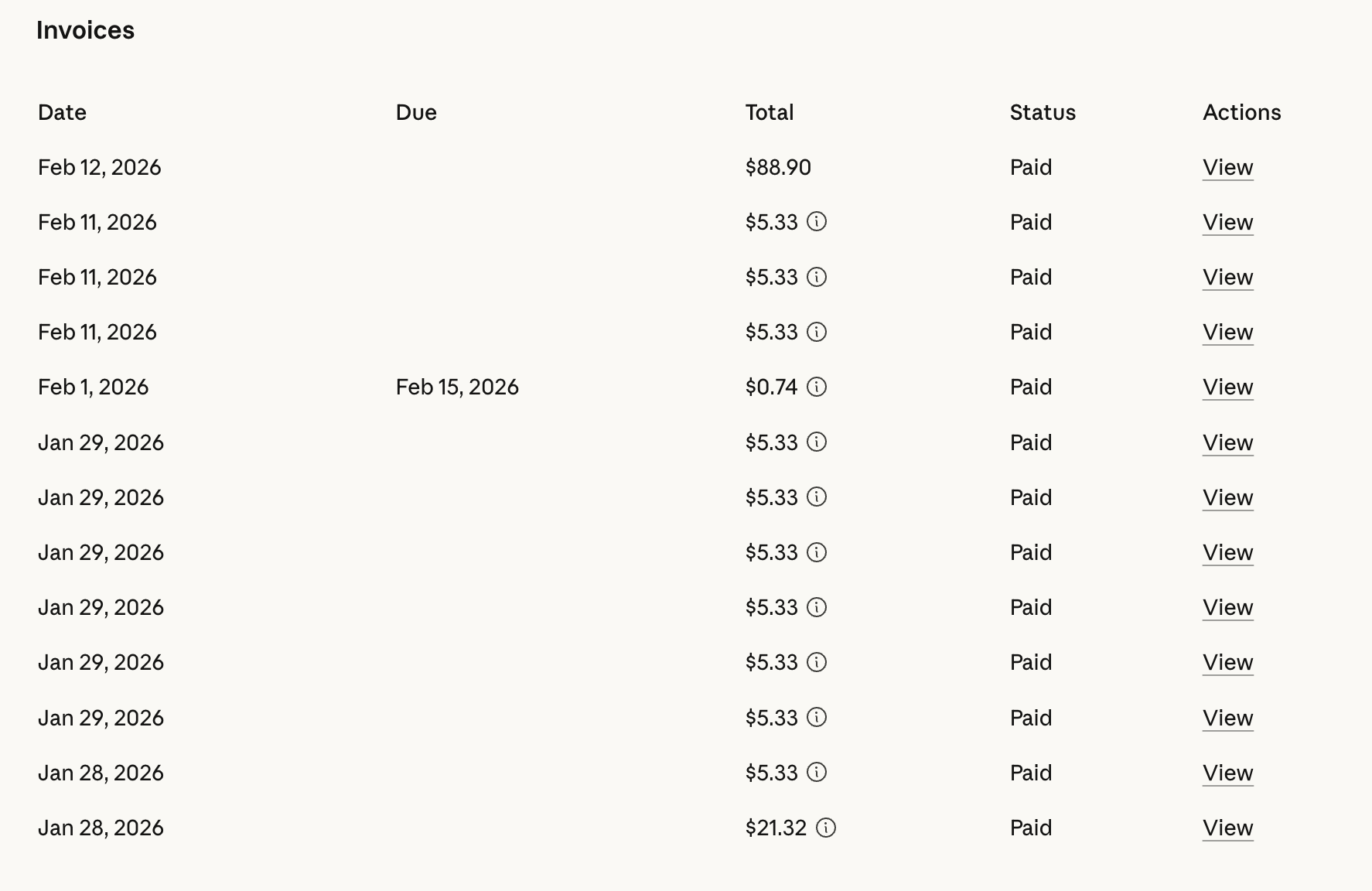
I started out with Claude Pro the first two weeks of the project then purchased extra usage as I went over the usage caps for Opus. I was burning through my limit almost every four hours and losing free time I could be developing, waiting for the counter to reset, was discouraging. I started out just reloading extra usage dollars, but I flew through those re-ups quickly. This forced me to take a 4-5 day break around February 2nd and wait for the weekly limits to reset. It was also artificially capping what types of prompts I wanted to run, which felt like a bad approach. The whole point of this AI thing is knowledge abundance, even if it’s not always right!
My wife was enjoying my model limit breaks but I wanted to see this project through and needed more headway. I bit the bullet and bought Claude Max (the $100/month) plan. Since upgrading, I haven’t hit a single model limit and it massively sped up my development time. I know that’s not a realistic price point for everyone, but I would buy that tier again, if I was hoping to build something from scratch. It’s a heck of a lot cheaper than me spending twelve months learning Godot or thousands of dollars paid to a freelance engineer that could disappear on me.
In terms of time, I’d estimate I spent roughly 35-40 hours over the month on the game. That’s a mix of prompting, testing, debugging, playing the game to find issues, and writing specs.
What still sucks
There are still some areas that are higher friction than what I would imagine a game developer doesn’t think twice about. These are some of the areas that I think need to get better before this could become completely autonomous and plain English development driven.
Godot Unit tests don’t play nicely with Claude Code
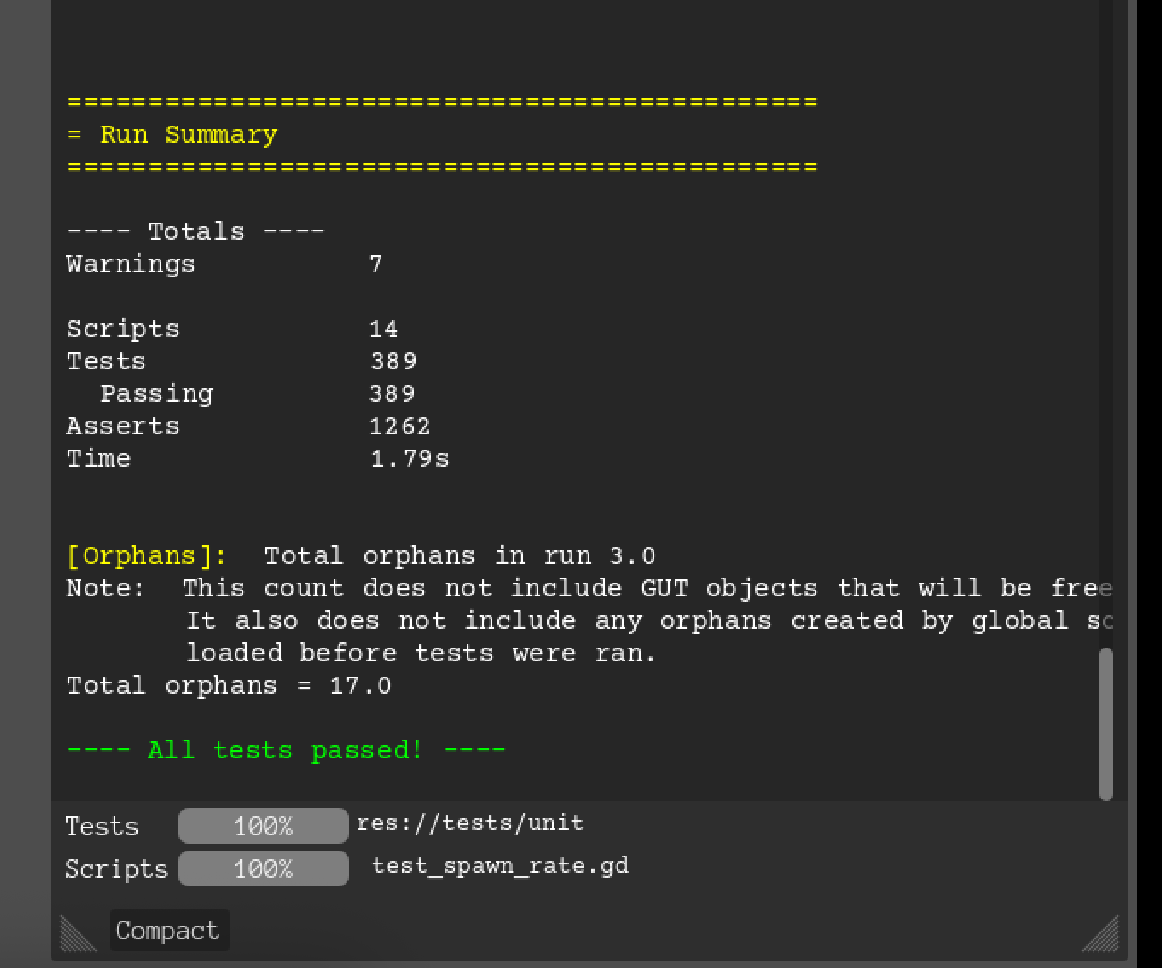
This might be a #SkillIssue on my part, but I can’t get Godot Unit tests (GUT) to run directly as part of Claude’s testing plans. They sometimes work, but it takes an extra 5-10 minutes to run unit tests that take ~2 second to run if I do them manually. I ended up adding a call out to the Claude.md file to just skip unit tests. This works about 60% of the time. Otherwise, if I see the agent invoking tests, I just kill the plan.
Animation and overall visual are basic
I’m not a talented artist, and neither is Claude, so we ended up with believable (but elementary) golfers, trees, rocks and buildings. It took a lot of restraint to not try and overhaul this, but I tried a number of different prompts and approaches to no avail.
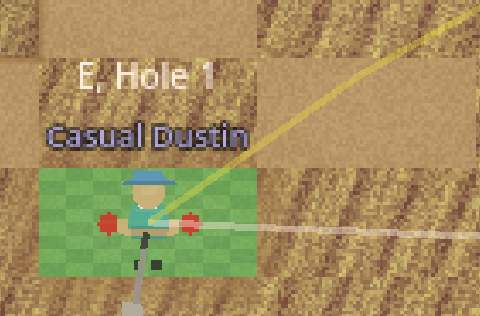
No one will argue that this isn’t a golfer, but it says "Atari" more than it says “cool indie golf game built in 2026.” 🙂
Desktop only support
The game barely functions on mobile, which is fine. The only bummer is that almost every friend I shared the testing game url with first opened it on their phone and said it doesn’t work. I think that’s just the reality you have to accept building a desktop web game, but it still shrinks who will try this out.
Performance
The first “complete” version of this game ran slow on desktop and barely worked on web. I had to do a number of prompts and changes to get the game working on web and smooth on desktop. The most common issues were pixel redraws (at one point every grass pixel was redrawn every frame – that's a lotta grass blades) and too much calculation baked into ShotAI. Changing static items to not be redrawn was the biggest bang for my buck. The game still isn’t lightning quick, but it’s at least playable.
I tried using the Godot Profiler, but never gleaned much useful information.
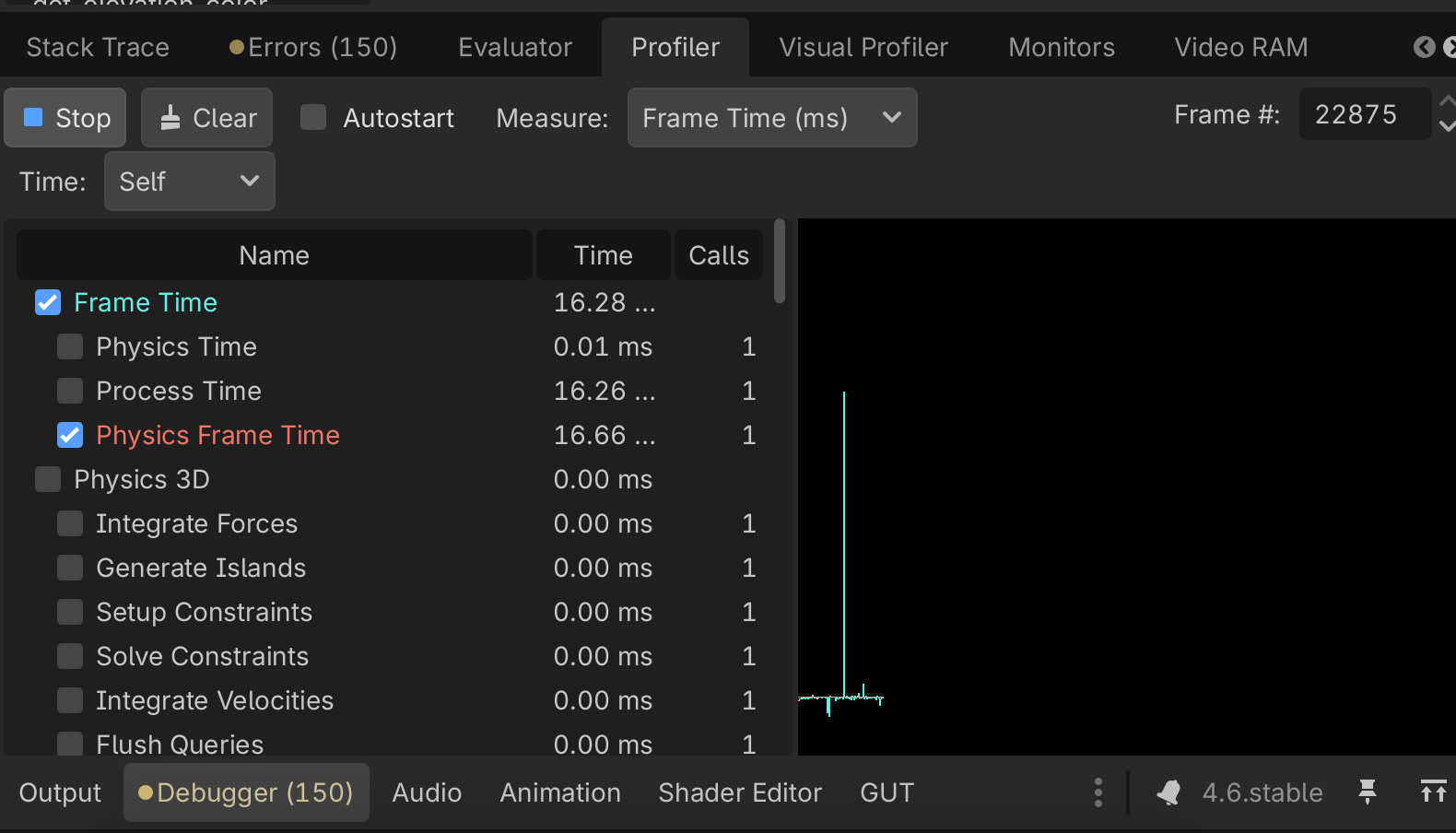
Claude and I just used print statement (i.e. what got me through 60%+ of my CS degree) debugging to find where things were the slowest. Longer term, I would learn how to properly use the profiler, but it was a bit confusing how to actually sort or export.
Tech debt abounds
If I didn’t have a tech background and knowledge of how to guide Claude to clean up its own tech debt, I would’ve had a massive mess of unused functions, magic numbers and other classic errors. Even after significant trimming both my main.gd and golfer_manager.gd are over 1k lines of code and have way too much logic baked into them.
I think this was partly a symptom of iterative development (sounds familiar 😅) and not giving the model the whole picture. But even when I gave Claude a broader picture, we still ended up with huge functions and other known issues.
This isn’t a huge issue for a side project, but would cause pain for anything that would become commercially available. One saving grace is that I was able to keep MUCH better internal documentation throughout the process. I had two separate friends get the project running locally first shot, which is a rarity for open source.
Windows and Mac Developer license requirements
Both Windows and Mac require specific steps to get an application registered. Apple charges $99/year for the license and I’m not sure of Windows' requirements. This results in the desktop version of the game throwing a warning unless you run a specific set of commands to bypass.
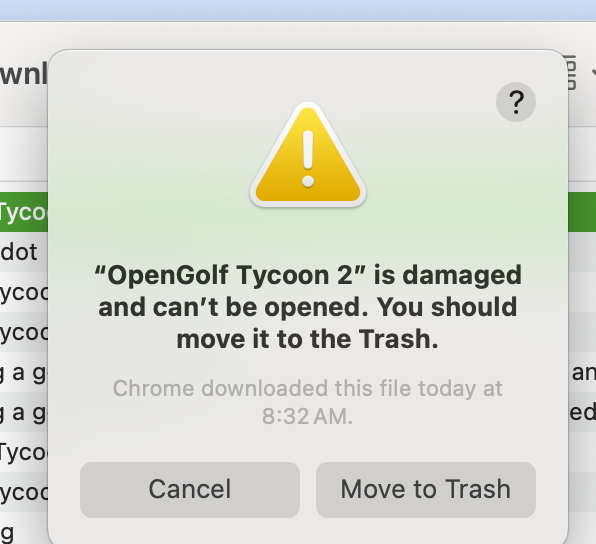
The desktop experience is far superior in terms of performance in the graphics, it just requires more tech knowhow to actually get it running (ask Claude how! 😄). That’s why I built a basic web version and am making the repo public as well.
What’s Next
When I started this project, my son was four weeks old and I was deep into Modern Family. A month later, I’ve shipped a playable golf course tycoon game built almost entirely with AI assistance, learned a ton about AI driven development which will help me in the day job, and somehow managed to keep a tiny human alive in the process.
Is Open Golf Tycoon going to dethrone the original SimGolf? Not yet (it never will in my heart). But it’s a genuine, playable game with real depth. I have another month on leave so I’m planning to keep building a bit longer, but I have some other project ideas. Top of the roadmap is a play your own course mode, course purchasing and better visuals and decorations. I hope someday to even play alongside my son.
I'm not suggesting AI replaces talented game developers. But as a technical-ish PM, I was able to build something in a month that was only a pipe dream before. That's exciting.
Oh, and a newborn who sleeps in 90-minute intervals. That helps with the iteration part. I don’t know what the plan is when he starts crawling and running. 😁
Try it out!
Play the beta: https://golf.kennyatx.com
Downloads:
Windows: https://golf.kennyatx.com/downloads/windows (unsigned developer version, requires steps to run)
Mac: https://golf.kennyatx.com/downloads/macos (unsigned developer version, requires steps to run)
Linux: https://golf.kennyatx.com/downloads/linux
Source code: https://github.com/sneeosh/opengolf-tycoon
Found a bug or have feedback?
Open an issue on GitHub, (or even better propose a fix 😄) or DM me at @kennyatx on X. I’m especially interested in hearing from anyone who played the original SimGolf — I want to know what features you’d want to see next.
Thanks for reading. Now I have a diaper to change and hopefully some real golf to play. ⛳